

Your own office
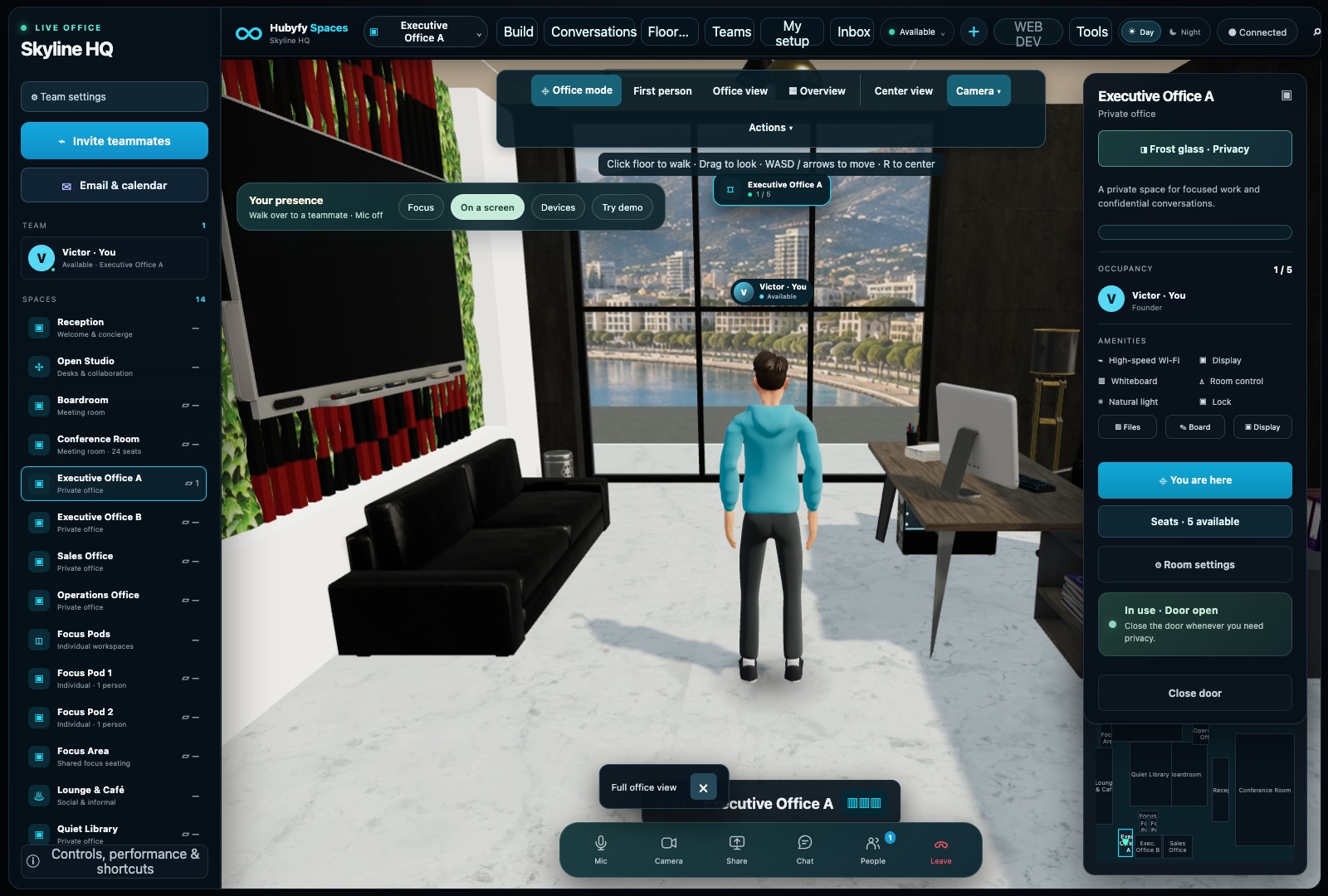
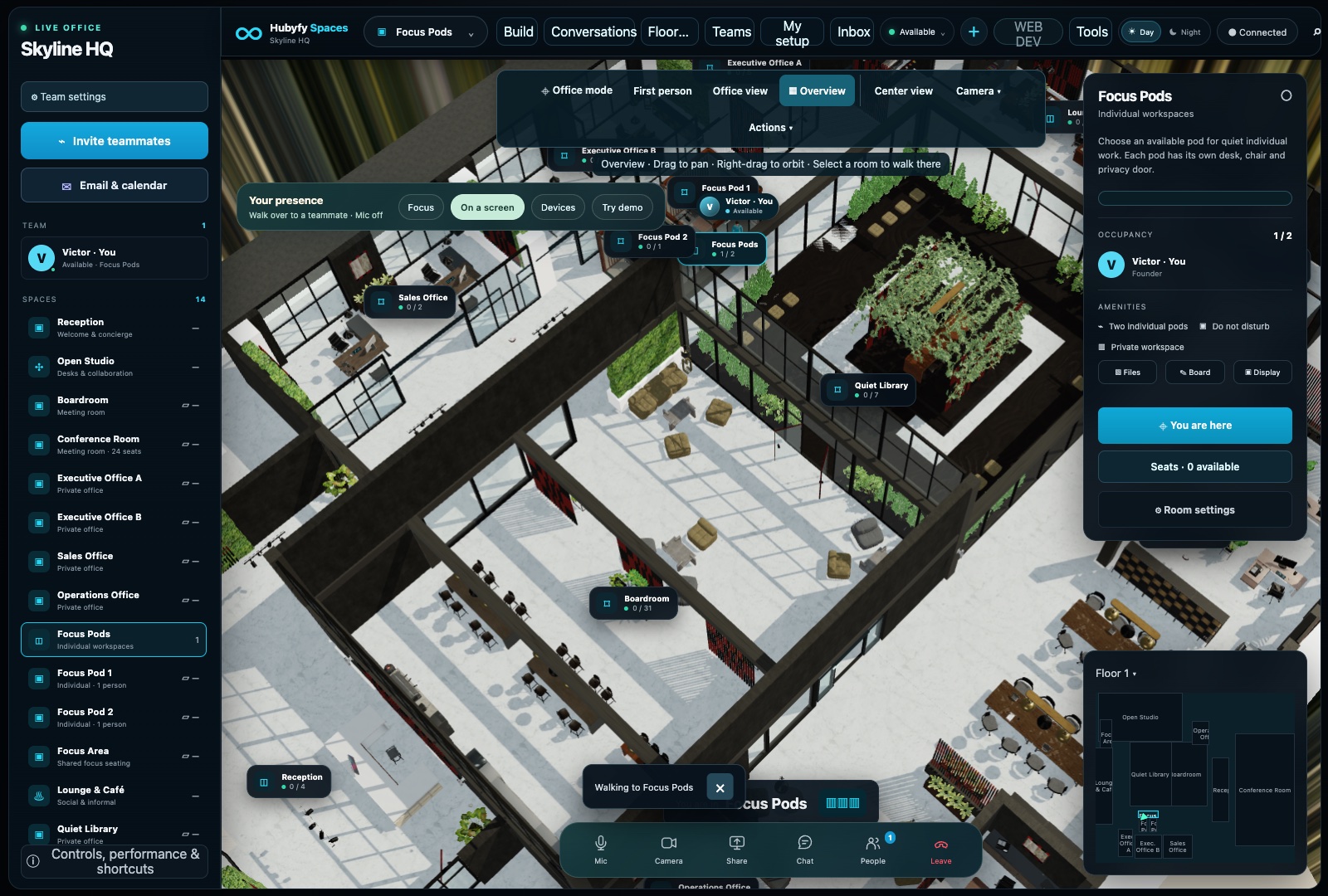
Walk through the office in third-person view. Close the door when you need privacy.
Hubyfy Spaces / VIRTUAL OFFICE
One shared office for the whole working day. Move between private offices, focus pods, nearby conversations and team meetings.
TAKE A LOOK AROUND
Walk through the office in third-person view. Close the door when you need privacy.
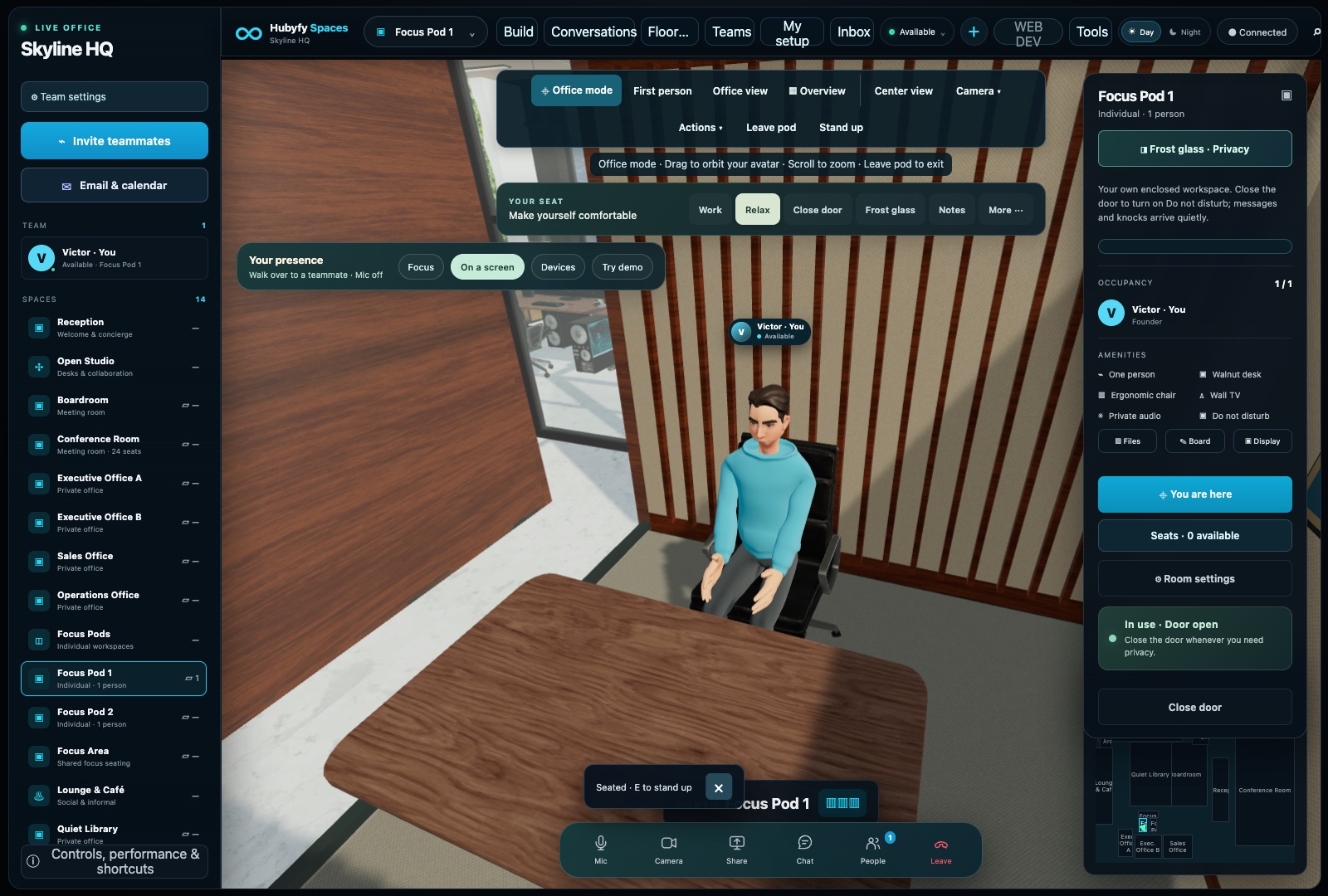
Take a seat in a personal focus pod, with your own desk, notes and availability controls.
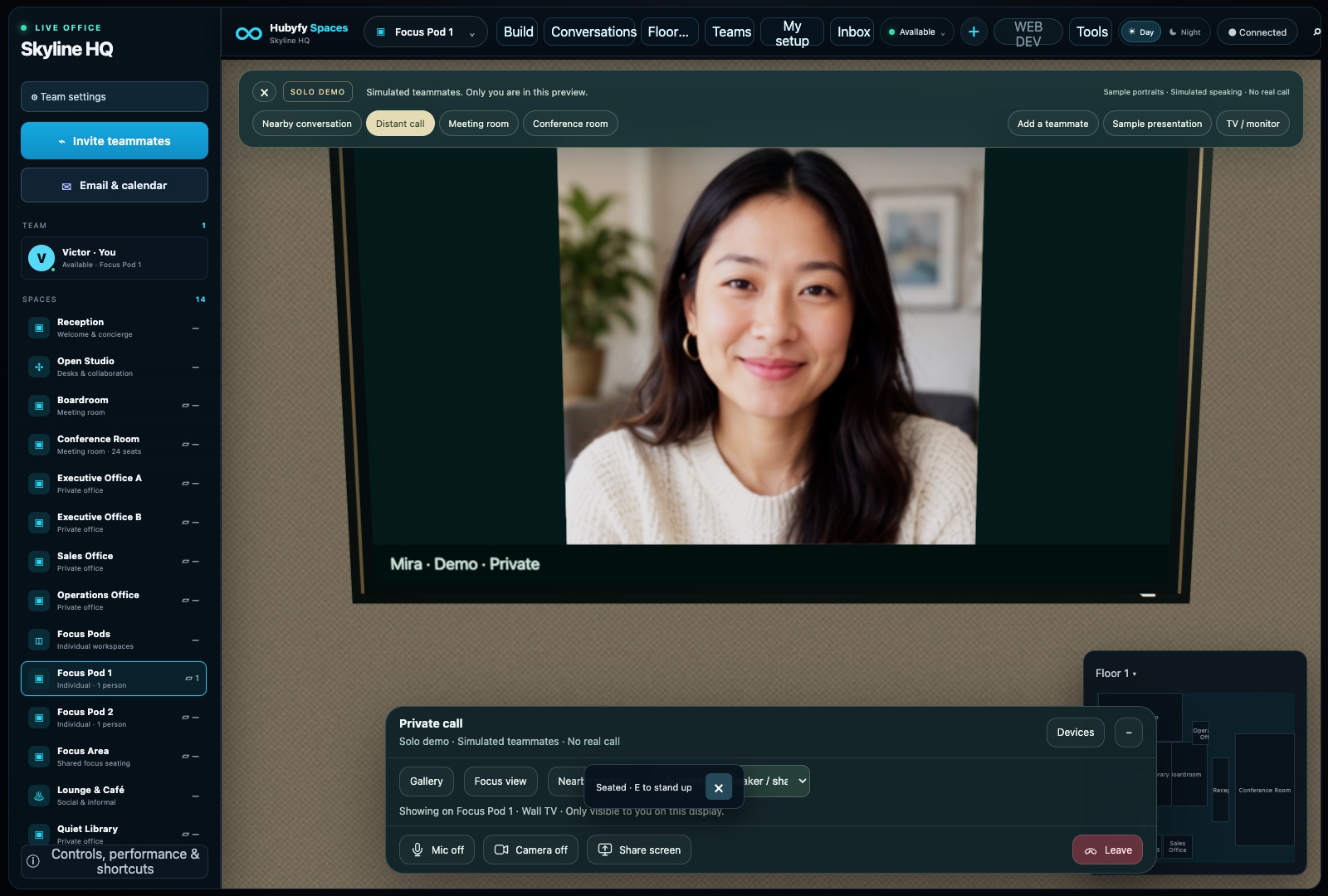
Take a private call from your pod and bring the conversation onto its wall display.
Gather around the conference table, then choose the room, speaker or presentation view.
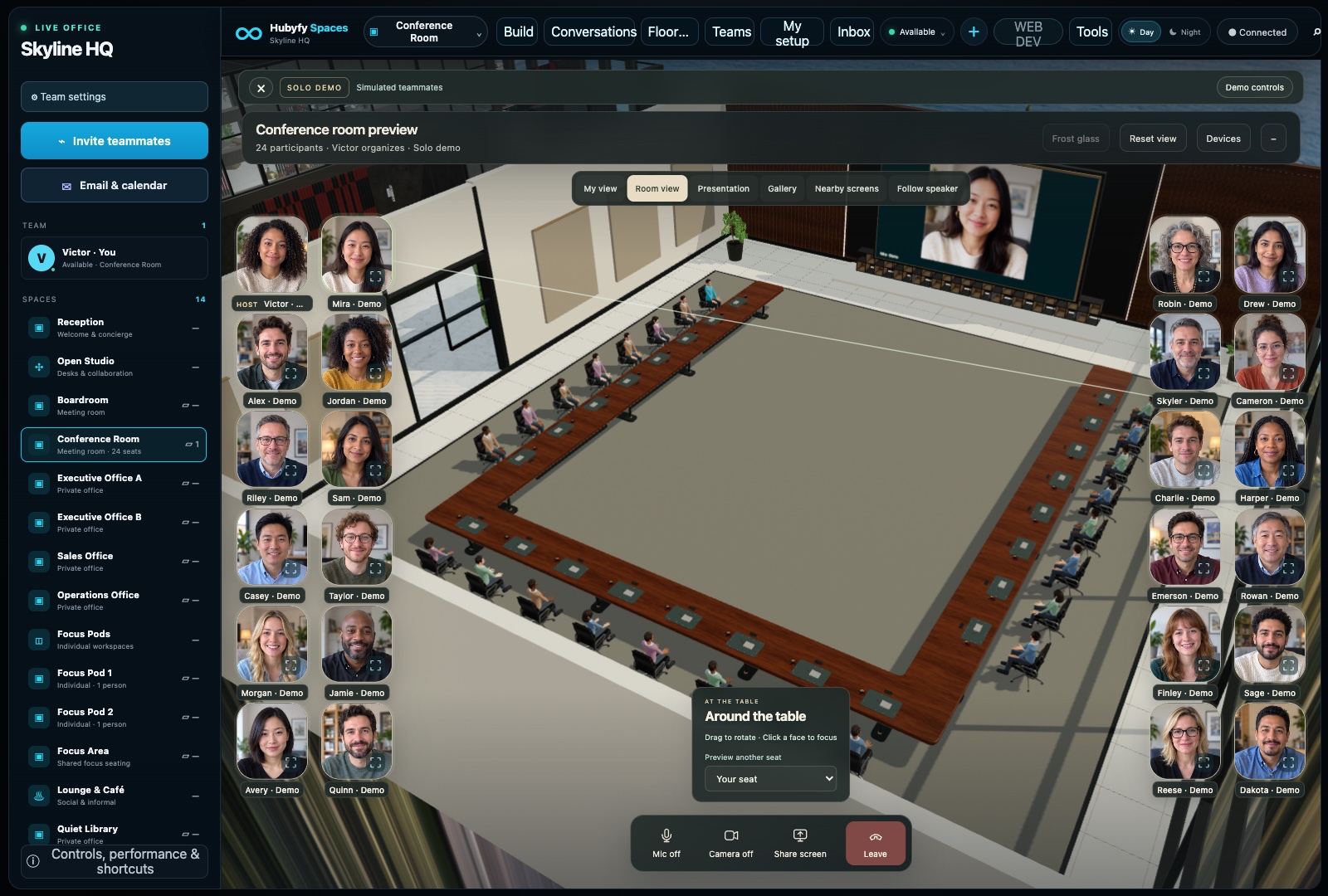
Hubyfy Spaces IN PRACTICE
Switch from the room to the presentation when it is time to explain. Shared content stays prominent while the conversation continues.
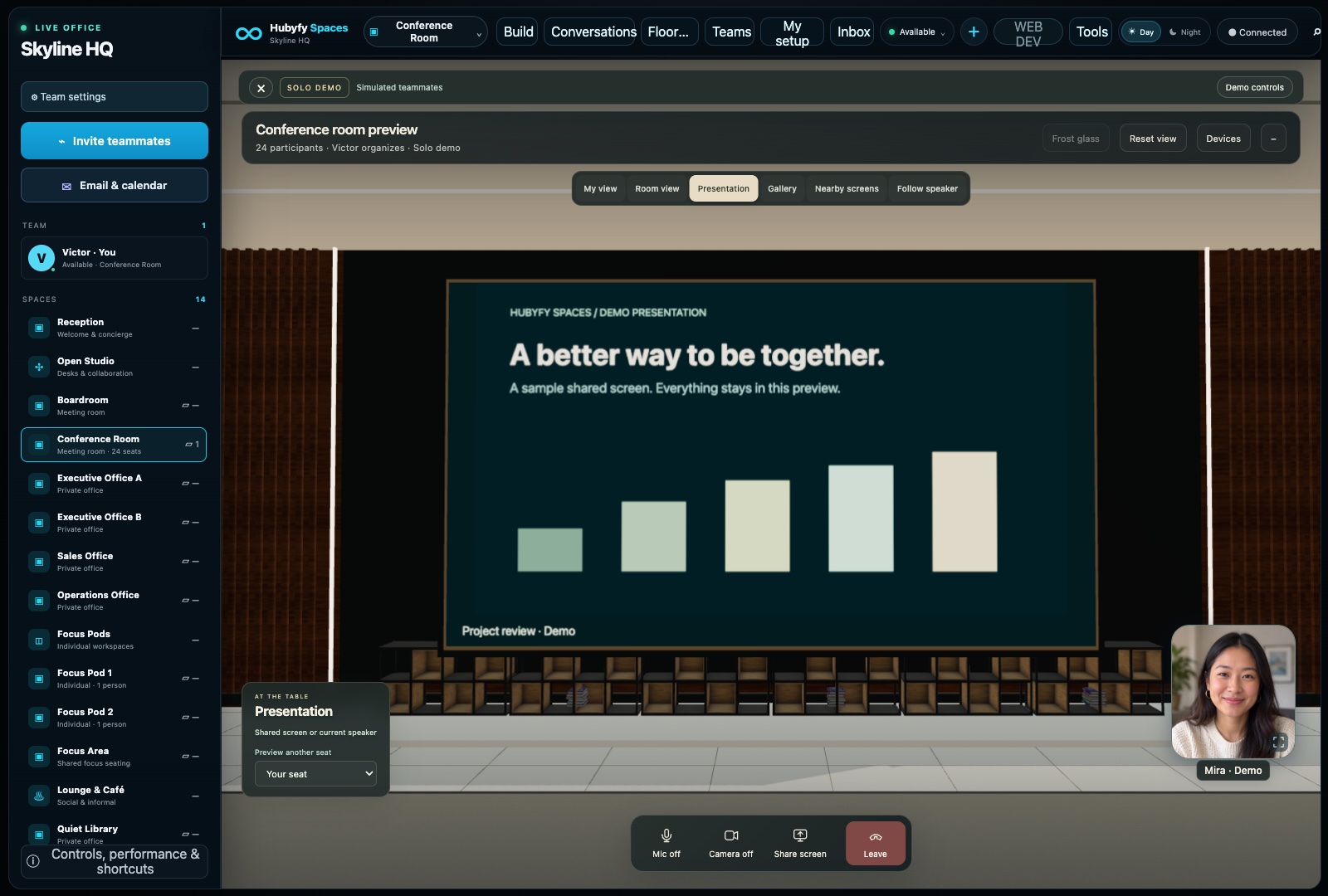
STEP INTO THE MEETING
A short walkthrough of room, speaker and presentation views.
Talk to our team about the current version and access options for your organization.
GO A LITTLE DEEPER
Explore a feature or see how it fits your day.
Join a browser-based 3D office with avatars and recognizable work areas. A shared environment makes it easier to understand where colleagues are and how to approach them.
Step into an individual pod or private office when you need concentration. Clear room controls help colleagues understand when you are available.
Meet nearby colleagues in shared areas, or invite someone to a private distance call. Camera portraits and speaking indicators help you follow the people in the conversation.
Give a remote meeting a sense of place. See faces at seats and choose a view that suits the moment, from the whole room to the active speaker.
Put a call or presentation on an available TV, monitor or laptop in your current room. Keep people and content connected to the setting you are working in.
Use supported email and calendar connections while working in Spaces. Optional account linking can share selected connections with Hubyfy without making the CRM a prerequisite.
Personal sticky notes turn a desk into a familiar place to return to. Capture a thought, arrange it on the tabletop and keep it for your next session.
Use the room’s door and visual privacy controls when the work calls for fewer interruptions. Privacy glass helps make the room’s state clear to people outside.
Use shared areas for informal contact, meeting rooms for discussion and pods for solo work. The office gives different activities a recognizable place.
Distributed teams. Create a regular place for daily work, quick questions and team meetings, so remote colleagues have more ways to connect than scheduled video calls.
Onboarding and mentoring. Welcome a new colleague into a recognizable office. Meet in a room, walk through the work together and share the content they need to get started.
Project groups. Gather for a working session, review a shared presentation and then move back to individual desks or pods to continue the work.
GOOD TO KNOW
No. Spaces can work independently. Hubyfy and Spaces have separate access, with optional account linking for selected email and calendar connections.
Spaces runs in a compatible browser with 3D graphics support; it does not require a VR headset or an Unreal Engine installation. A microphone and camera are optional for conversations, and headphones are useful for calls. Device and network performance affect the experience.
In eligible private offices and individual pods, closing the door enables Do not disturb, blocks incoming calls and entry, and delivers knocks and messages quietly. Meeting-room doors are controlled by the organizer. Frosted glass is a separate visual privacy control.
Yes. The meeting experience includes faces at seats, an optional Follow speaker view and a dedicated presentation view. Available room screens can show call or shared presentation content.
Contact us to discuss the current version, hosted access and your intended team setup. We can walk you through the meeting experience and help assess browser, device and network needs for your team.
TAKE A CLOSER LOOK
Tell us what you want to improve. We’ll show you the relevant tools and discuss access.
Spaces is being prepared for hosted access. Spaces can work independently of Hubyfy CRM.